One of the biggest areas that is overlooked when getting a video/camera setup for trips out is the speed of the your SD card. Many ask what is the best SD card for my GoPro camera? The GoPro HD Hero3 and 3 Plus series of cameras support Micro SD cards up to 64GB.
The choices of GoPro Hero 3 And 3 Plus micro SD cards is huge. Hopefully my trial and error over the last few years will point you in the right direction.
I have updated this post to ensure that the best cards possible are identified. This post also now contains references to the Hero 4 range of cameras.
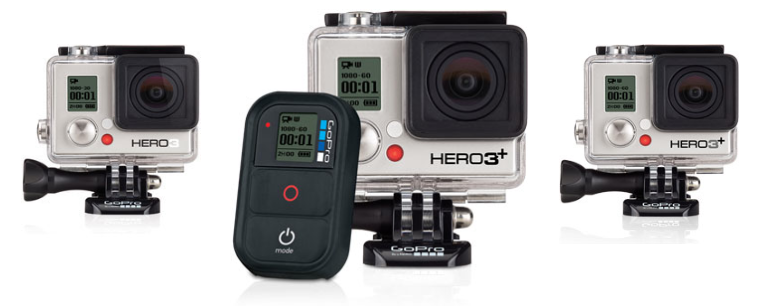
The GoPro Hero 3 – white, silver, black and the even newer newer GoPro 3+ range use Micro SD Cards. Micro SD cards are roughly the size of a mobile phone sim card and are often supplied with an adaptor to allow them to be used within tech that uses full size SD cards.
The Speed Class Rating is the official unit of speed measurement for SD cards. Speed Class is a minimum speed based on a worst case scenario test and represents the minimum transfer rate of data that the card is capable of.
SD Speed Class
Class 2 – 2MB/s
Class 4 – 4MB/s
Class 6 – 6MB/s
Class 8 – 8MB/s
Class 10 – 10MB/s
This can be seen on cards as a number within a circle.
Ultra High Speed (UHS) Class
Just to confuse things a little more there is also an Ultra High Speed (UHS) classification. Ultra High Speed 1 – U1 is the same as Class 10 (10MB/s). UHS sets a minimum transfer of data that the card is capable of in a similar way to the SD speed class.
U1 – 10MB/s (same as class 10)
U3 – 30MB/s
This can be seen on cards as a number within a bucket/U.
U3 is pretty new and is a response to ensure that consumers can easily identify those cards with the highest transfer rates suitable for 4K/2K filming. If your card is not U3 this doesn’t necessarily mean that it is not up to the job. It may simply not be labeled with the new U3 symbol. Check the transfer rates – this is the key.
Why should you care?
The Speed Class is important for video mode or camcorders, as when recording video the device is actually saving a steady stream of data. This is exactly what you are expecting a GoPro camera to do whilst filming video at high resolutions. GoPro recommend SDHC cards with a Class 4 rating or higher for the Hero 2. A Class 10 SD card is recommended when using Time-Lapse mode or photo every 0.5 seconds. For the GoPro Hero 3, 3+, 4 or Session a Class 10 SD card/U1+ is the best choice regardless of what you are using it for. Always get the fastest card you can.
There is always a danger that if your SD card isn’t up to it that you could encounter error messages or loss of data. When ever my GoPro has crashed or frozen it has always been down to the card I have been using.
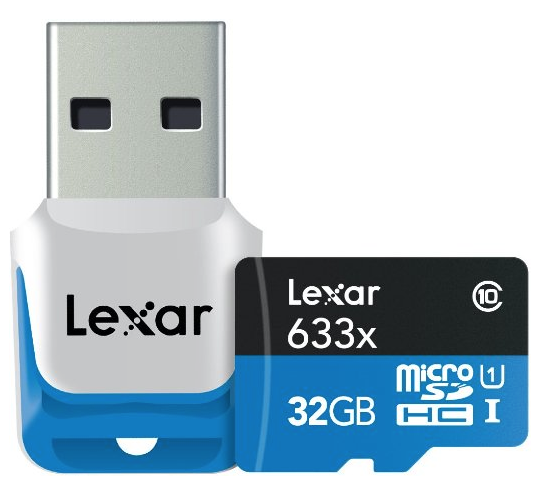
The difficulty comes when you start looking at Speed Class and card storage size. The higher the speed class the higher the price, the higher the card capacity the higher the prices. Over the last few months I have swapped out all of my cards for the newest Lexar 633x U1/U3 series. All are more than capable of coping with all the recording options available on the GoPro. All my cards are also 32GB as a battery on the GoPro won’t last longer than a 32GB would anyway.
SD Card Recommendations
GoPro issue a list of suitable cards and seem to update this on a fairly regular basis. It’s important to use one of the recommended SD cards (or a similar/better spec card) in your camera, or you may experience freeze-up or video corruption issues.
I have owned and used all of the brands and models of Micro SD cards shown below. They have always performed well without issue.
Here are the Micro SD card requirements for each camera:
HERO3: Black Edition, HERO3+ Black Edition and Hero 4 Silver, Black and Session cameras
A Class 10 MicroSD card up to 64 GB is required.
SanDisk Extreme 32GB microSDHC – Up to 80/50MB/s read/write speed.
SanDisk Extreme 64GB microSDXC – Up to 80/50MB/s read/write speed.
Lexar 633x Class 10 32gb micro SD – Transfer speed up to 95MB/s
Lexar 633x Class 10 64gb micro SD – Transfer speed up to 95MB/s
U1 and U3 633x Lexar Cards have the same transfer rates – 95MB/s.
For HERO3 Silver and White Editions any class 10 micro SD cards can be used.
HERO3: Silver Edition & HERO3+ Silver Edition Cameras
A Class 4 MicroSD card up to 64 GB is required – you’ll be hard pushed to find a Class 4 card, go straight for Class 10 as a minimum.
A Class 10 MicroSD card up to 64 GB is required for 0.5 sec Time-lapse, 10/1 Photo Burst, and Protune.
HERO3: White Edition Camera
A Class 4 MicroSD card up to 64 GB is required.
A Class 10 MicroSD card up to 64 GB is required for 0.5 sec Time-lapse.
HD HERO2 Camera
A Class 4 SD card up to 32 GB is required.
A Class 10 SD card up to 32 GB is required to use 0.5 sec Time-lapse, 10/1 Photo Burst, and Protune.
The safe bet is to get the fastest Class 10 U3 you can afford as it will work in all of the GoPro range and just about any other POV/Action camera that requires a Micro SD card.
I have also been using the new range of Turbo Boost U3 cards from PNY with success. No issues at all and given the price are well worth checking out.
Recording time will vary according to the resolution setting used and the card capacity. Here are the average recording storage times for a 32GB SD card:
1080p (30 fps): 4h 21m
960p (30 fps): 5h 26m
720p (60 fps): 4h 21
720p (30 fps): 8h 09m
WVGA (60 fps): 8h 09m
I have a number of other settings to try out and will report the results. However GoPro appear to be pretty accurate with the figures. I was only a minute or two out in all cases.
On a day to day basis I am now carrying a couple of batteries and a few 16 and 32gb cards.
The GoPro Hero 3 Black edition will chew through its battery faster than the Wasabi Battery range is of a higher capacity still.
There are a great deal of fake SD cards out in circulation and it is important that you buy yours from a reputable supplier.
What else should you consider?
I have a fair bit of GoPro kit and to maximise its use I also have a range of must have accessories.


Leave a Reply